
A songbook for singers
Your lyrics, marked the way you sing them.
Type or paste the words, then mark breaths, vibrato, pitch and dynamics right where you sing them. Print a clean sheet for rehearsal, or turn the page on your tablet at the gig.
For Mac, iPad, iPhone and Windows. Free to start.
Why singers use it
Simpler than sheet music. Clearer than scribbles.
SongNote ties every mark to the words you sing, so a sheet still reads right when you change the text size, the paper or the screen.
Marks on the words
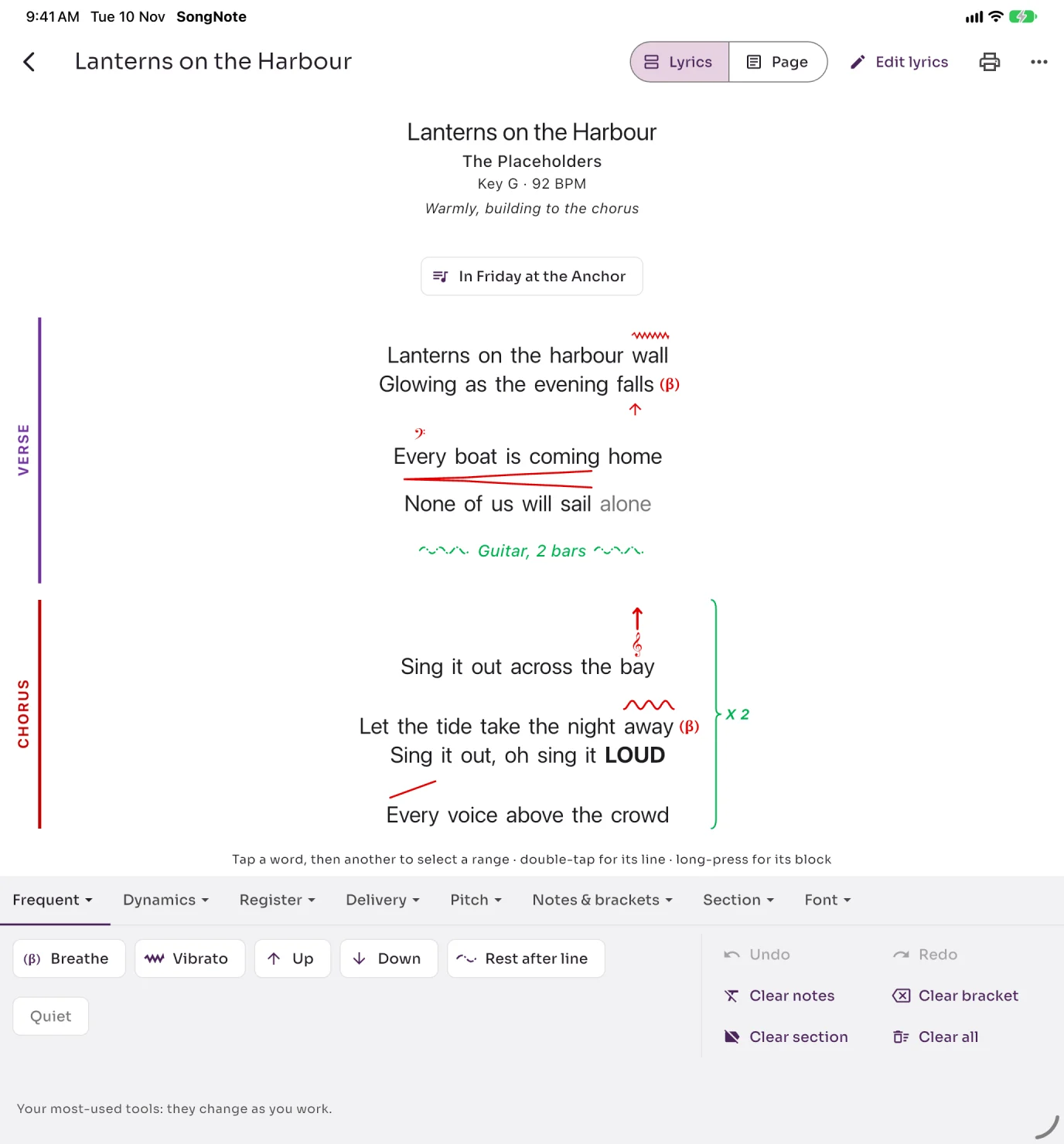
Breathe, vibrato, up, down, scoops, slides, runs, chest and head voice, falsetto, belt: pick the words, tap the mark.
Your own way of writing
LOUD, quiet, bigger, smaller, bold and underline, notes above a word, line notes and repeat brackets. The marks you use most rise to the top.
Prints as you see it
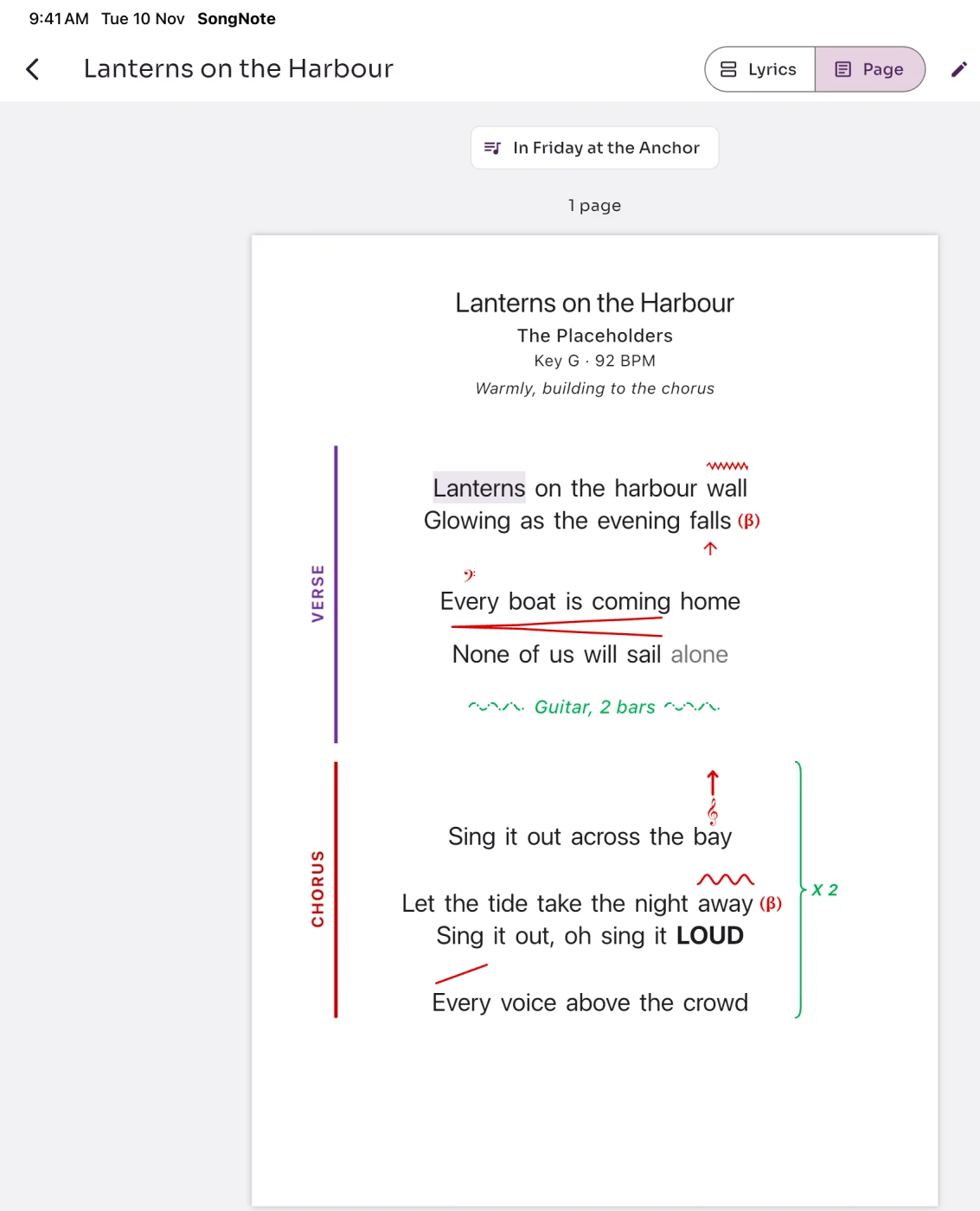
Page view shows exactly what prints, in A4 or Letter, one or two columns, fitted to the pages you want.
Ready for the gig
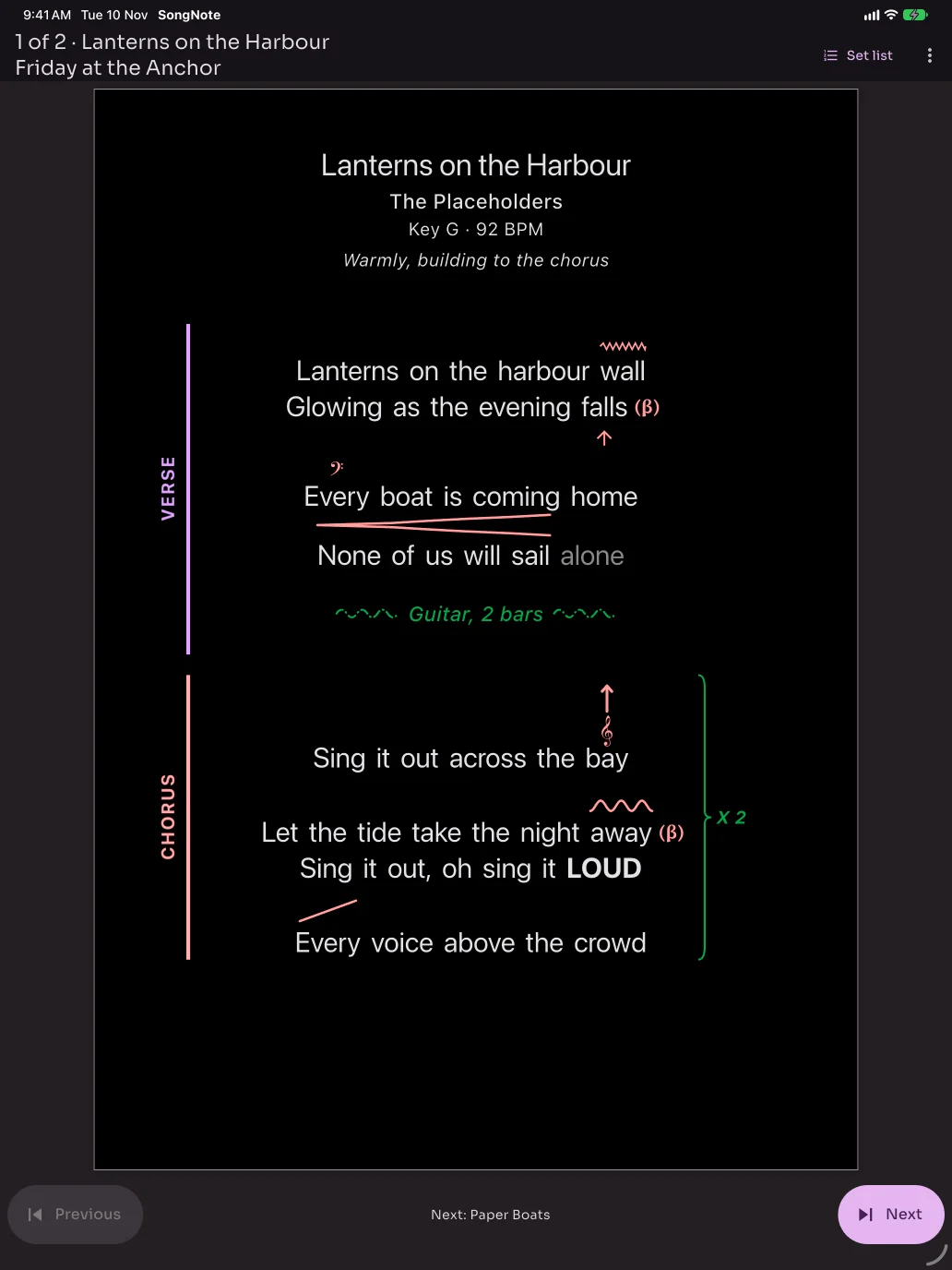
Build a set, add breaks and timings, print the running order, then perform it page by page on your tablet.
Mark it up
Pick the words. Tap the mark.
Tools are grouped the way singers think: Dynamics, Register, Delivery, Pitch, Notes & brackets, Section and Font.
- Verse, chorus and bridge in colour, always with their name, so they read in black and white too
- Undo as far back as you need while the song is open
- A note on how to sing the whole song, under the title
See what it does
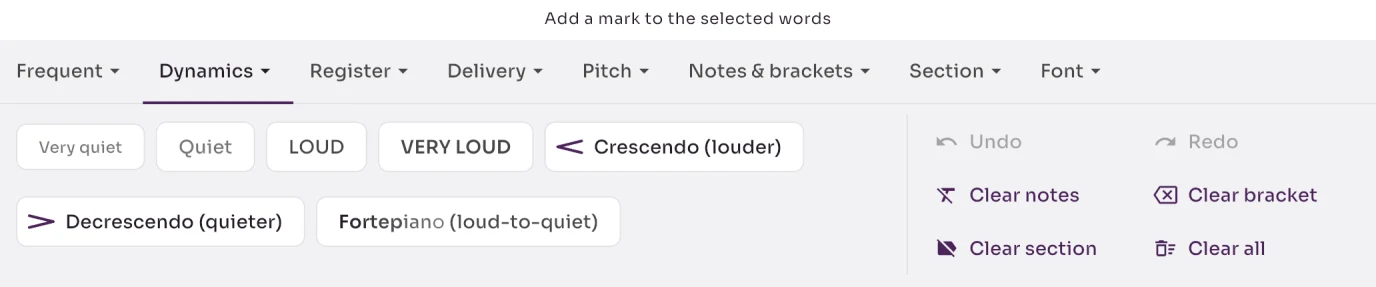
Every tool shows its effect.
Quiet is grey, LOUD is in capitals, and fortepiano fades as you read it. You know what a mark will look like before you use it.
- Six song fonts, including an easy-to-read one
- Bigger and Smaller in two steps for your own emphasis
- High-contrast and black-and-white themes for print
Print it
What you see is what prints.
Page view is the printed page, live. Fit a song to one page, choose the paper, or save it as a PDF.
At the gig
Your set, one page at a time.
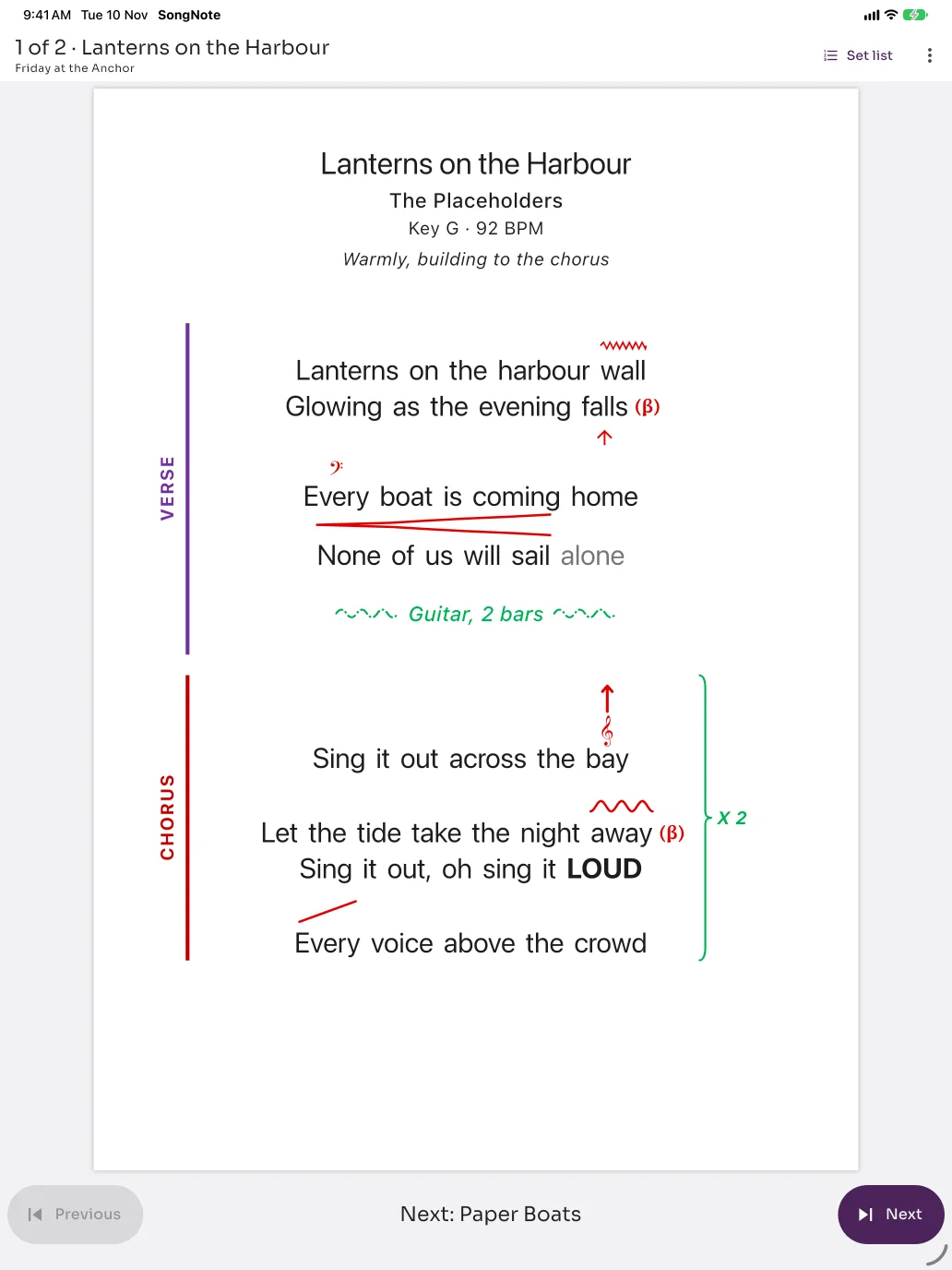
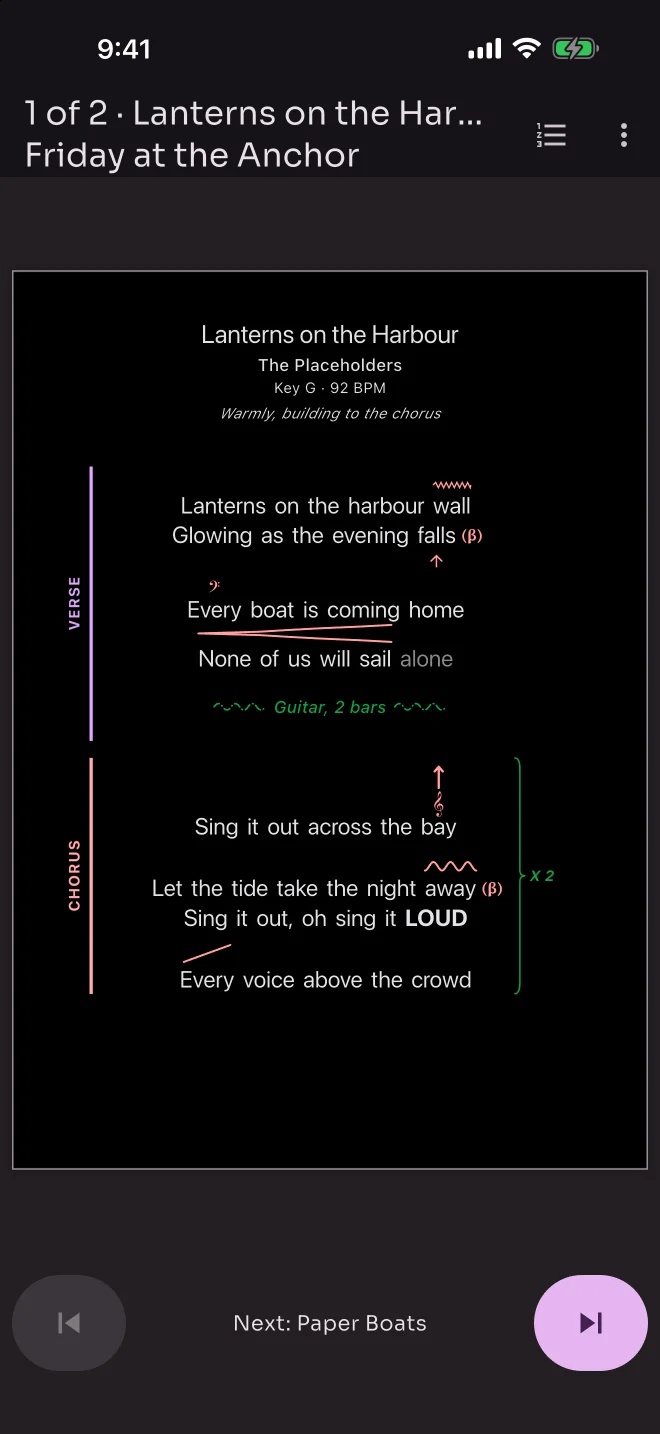
Put songs in a set, add a break or a note between them, and perform from your tablet. Big Previous and Next buttons, the next song named below, and the screen stays awake.
- Light on dark for a dim stage
- Jump to any song in the set, or pull in an encore
- Print the running order with start and finish times
Made with a singer
The marks singers actually use.
SongNote's marks come from a working singer's own hand-marked sheets, refined beta by beta.
How it works
From lyrics to stage in three steps.
Add a song
Type it, paste it, or open a .txt or Word file. Your words, as you sing them.
Mark it
Pick words and tap marks. Label the verse and chorus, add breaths and repeats.
Sing it
Print the sheet, or build a set and perform from your tablet.
Pricing
Free to start. Pro when you gig.
Free
NZ$0
- Up to 5 songs
- Every mark, section and font
- Print and PDF, with a small "Made with SongNote" line
- Automatic backups
Pro
NZ$20 a year
- Unlimited songs
- Sets, running orders and stage view
- Share songs, sets and backups
- Clean prints, no footer
Price shown in New Zealand dollars; your app store shows the price in your currency. Pro renews yearly through your app store until you cancel. Your songs are never locked: everything you've written always opens and prints.
Coming soon to the App Store and Microsoft Store.
SongNote is in beta with singers now. For Mac, iPad, iPhone and Windows. Android later.